
- Home
- /
- Blog
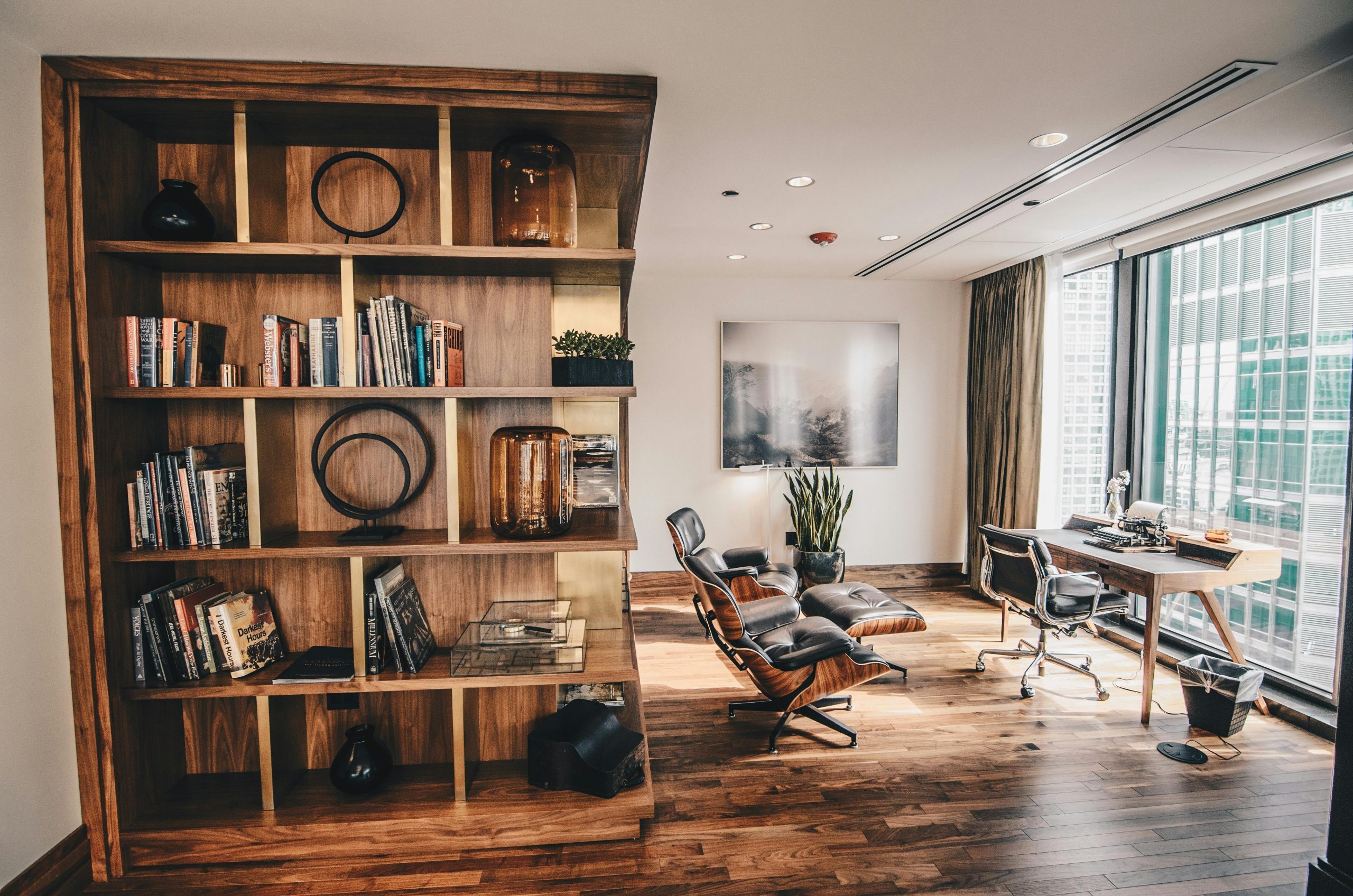
 A home office should make your day feel easier, not more stressful. Yet many work-from-home setups evolve piecemeal – an extra chair here, a mismatched lamp there – until the space becomes a mix of convenience and compromise. Realistic home office design isn’t about creating a Pinterest-perfect workspace. It’s about designing an environment that supports focus, feels good on camera, and works with your actual daily routine.
Create a Background In Your Home Office Design That Looks Good Without Trying
Video calls have made the background almost as important as the workspace itself. You don’t need a full bookshelf wall or bold statement art to pull this off. What matters is intention. A clean, neutral backdrop keeps the eye relaxed and prevents visual distractions. Soft greenery, textured wall panels, or a simple framed print create interest without overwhelming the screen. The goal is to convey calm professionalism—something that blends into the conversation so the focus stays on you, not what’s behind you.
Incorporate Lighting in Your Home Office Design That Makes You Look Awake
Lighting impacts everything—from how you appear on video to how energized you feel during long stretches of work. The most effective setups pair natural daylight with adjustable artificial light. Place your desk so indirect daylight hits your face rather than your back; front-facing light keeps shadows minimal and prevents the overexposed halo effect. When daylight isn’t enough, a warm LED desk lamp or overhead fixture fills the space without harshness. In home office design, layered lighting isn’t a luxury—it’s what keeps eyestrain down and video calls clear.
Use Storage That Works the Way You Do
Clutter builds up quickly in a home office because work and life tend to overlap. Closed storage is your best friend here—drawer units, cabinets, and bins hide the mess so the space feels calm and intentional. Open shelving can still work, but keep it curated: a few books, a plant, maybe a sculptural object. The more visual noise you remove, the easier it becomes to shift into focus mode. Storage should support habits, not fight them. If you drop papers on your desk out of convenience, add a desktop organizer or a hidden inbox tray.
Set Up a Layout That Reduces Stress
A functional layout supports both the body and the mind. Make sure you have enough surface area for your daily tasks, and keep frequently used items within reach. If possible, separate work zones—one for the computer, one for writing or reading—to mimic the flow of a traditional office. This creates small mental resets throughout the day and subtly improves productivity.
Home Office Design – A Space That Supports Real Work
A well-designed home office blends clarity, comfort, and ease. When your background, lighting, and storage work together, the space becomes a place where work feels more manageable—and video calls feel a whole lot less stressful.